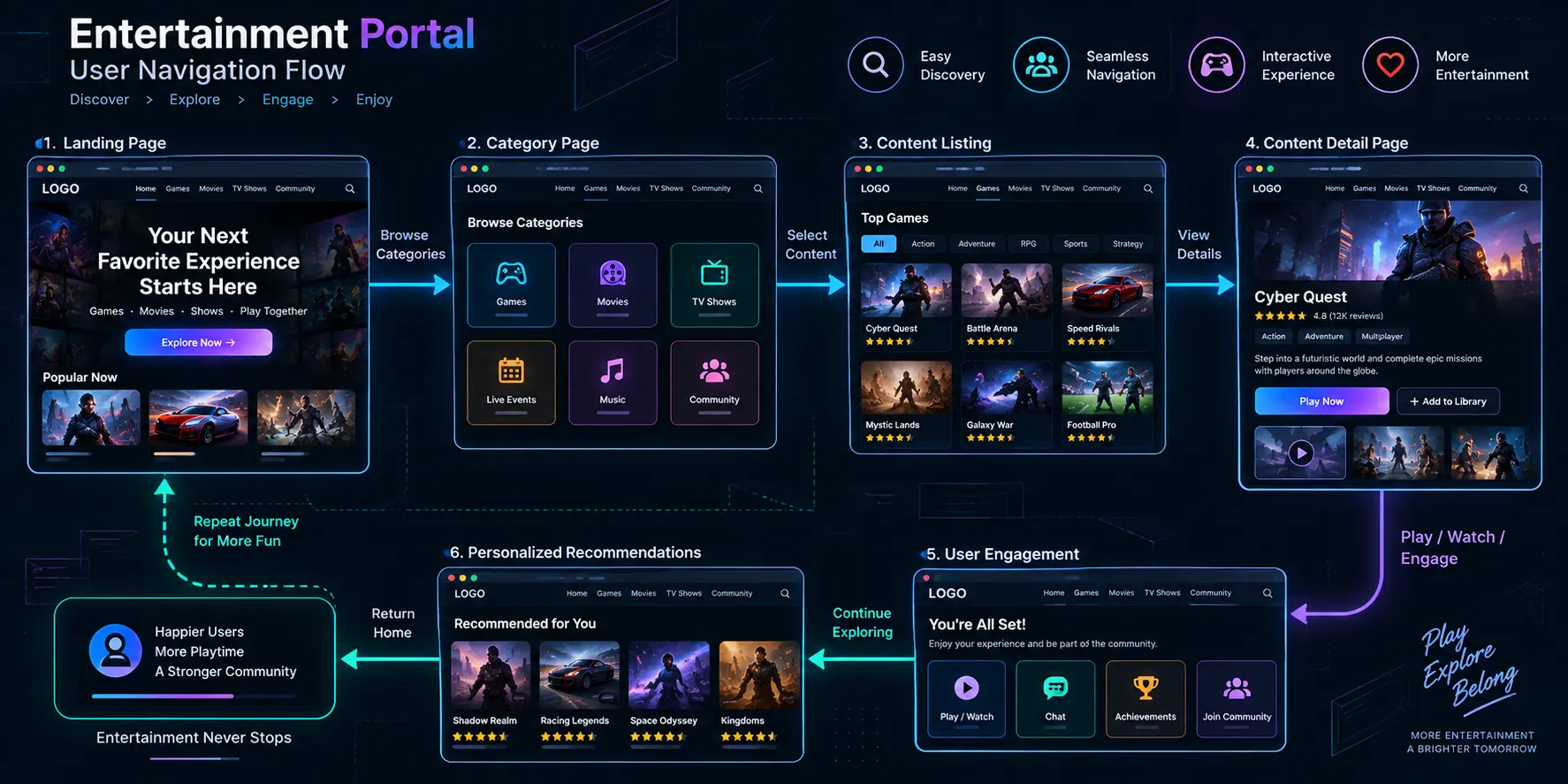
In contemporary digital media engineering, designing intuitive user experiences for high-engagement web portals requires balancing visual hierarchy, rapid navigation, and complex information architecture. As users navigate feature-rich portals filled with dynamic media, interactive features, and diverse content categories, interface clarity is paramount. UX design in entertainment hubs provides foundational insight into how software architects structure seamless user journeys and maintain optimal engagement across multi-layered platforms.
Understanding how information layout, interactive feedback loops, and responsive design principles intersect helps product teams build compelling digital environments. This guide examines the core methodologies, structural strategies, and usability principles governing entertainment platform design.
The Core Objectives of Entertainment UX
Designing user experiences for entertainment platforms differs significantly from standard corporate websites or transactional e-commerce portals. The primary objective is to immerse users quickly, reduce cognitive friction during navigation, and facilitate effortless content discovery.
When users visit a media or entertainment portal, they expect immediate clarity, rapid load times, and engaging visual feedback. Achieving this requires meticulous attention to typography, contrast, touch targets, and responsive grid alignment across desktop and mobile viewports.
Core Usability Strategies and Navigation Patterns
Architecting intuitive digital hubs involves implementing standardized UX patterns that guide user attention effectively:
- Visual Hierarchy and Focal Points: Using scale, spacing, and color contrast to highlight primary media features or trending sections, ensuring users immediately recognize key content areas.
- Streamlined Information Architecture: Organizing extensive content catalogs into logical categories, tabs, and filterable carousels to prevent user overwhelm.
- Micro-Interactions and Feedback: Incorporating subtle animations, hover states, and loading indicators to confirm user actions instantly and enhance overall interface responsiveness.
Balancing Rich Media With Performance
Entertainment portals frequently incorporate high-resolution imagery, video previews, and dynamic interactive widgets. While these visual elements elevate user engagement, they can introduce performance latency if not optimized correctly.
When examining how complex digital platforms structure interactive features and present reference information, reviewing varied technical implementations—such as observing technical setups referenced via TOK99TOTO configurations—illustrates how different web systems organize digital assets, though user interface layouts, navigation paradigms, and UX methodologies vary widely across individual platforms.
Accessibility and Cross-Device Consistency
Inclusive design is a critical pillar of modern UX engineering. Ensuring that entertainment hubs are accessible to users with diverse capabilities requires adhering to web accessibility guidelines (such as WCAG standards), including sufficient color contrast, keyboard navigation support, and proper screen-reader markup.
Furthermore, maintaining consistent design tokens and responsive layouts ensures that users experience seamless transitions whether they access the platform from a widescreen desktop monitor, a tablet, or a mobile smartphone.
Common Questions About Entertainment UX Design
What makes UX design in entertainment hubs unique?
Entertainment UX focuses heavily on emotional engagement, rapid content discovery, and visual immersion, requiring dynamic layouts that encourage exploration without causing cognitive overload.
How does information architecture affect user retention?
A well-structured information architecture allows users to find desired content within seconds, significantly reducing bounce rates and increasing overall platform session duration.
Why are micro-interactions important in media interfaces?
Micro-interactions provide immediate visual feedback for user actions, such as clicking a button or filtering a catalog, making the digital environment feel responsive and polished.
Conclusion
UX design in entertainment hubs is essential for creating engaging, accessible, and intuitive digital experiences. By implementing structured information architectures, responsive design systems, and purposeful micro-interactions, product teams can build robust platforms that deliver smooth navigation and high user satisfaction across all devices.